
Where is the Playable Archive camera location?
Exact furniture pin is Unverified. Steam thread: after crowbar and tape, resweep renovation clutter until Camera → Use → Insert tape exists. Do not invent a closet name.

Playable Archive camera location: Steam stall after crowbar and tape. Resweep clutter, then Use and insert Mini DV. Pin unverified. Verified October 2026.
Crowbar, tape, missing camera checks.
~9 min read
The Playable Archive camera is the playback tool for Mini DV, not an optional photo mode. This page exists because Steam already stalls on Camera location? after a crowbar and a tape. Exact furniture pin is Unverified until a pickup still is captured. Steam Playable Archive by DarkStone Digital (App 5356470). Verified October 29, 2026 · Steam.
| Item | What recaps actually show |
|---|---|
| Crowbar | Pickup inspect in a community recap; use on a pry prompt, not every locked door |
| Mini DV August 8th | HUD: “Mini DV tape. The label says August 8th.” Found after “I don’t have any tapes.” |
| Camera | Later recap: Camera → Use → Insert tape, then you are “in the tape” |
| Furniture pin | Unverified — do not invent a closet or cabinet name |
| Steam thread | Stuck after crowbar + tape, camera still missing |
| Run | 30–60 minutes · no save system |
| Verified | October 29, 2026 |
Matched by build plan, shared topics, and guide progression — not random related links.
Players pick up a bar and a cassette, then look for a lock that does not exist. Related Google noise for “playable archive camera” also dumps Sims 4 camera, iOS, PS4, and other-game results. Those are not App 5356470. The live stall is Steam community: inventory already has crowbar and tape, and Mini DV still will not play.
In-world, a detective recap on the August 8th material says “today’s date” and “must be a camera around somewhere to play these.” That line is the game telling you playback is a physical object in the house, not a menu button on the tape. Until that object is in hand, every other interact is a decoy. Media writeups also treat the camera as a primary investigation tool — you will need it again for marks, not only for the first Mini DV.
It is not asking for a graphics setting, a selfie mode, or a Roblox camera. It is not asking where the couple’s camcorder sits in the trailer remodel shot. It is asking where the interactable camera body is after the first two tools. If your stall is a wall cavity that will not open, you are on puzzles, not this page.
Publishing a closet name without a timestamped still creates a second wrong thread. This page sequences the three items and the insert-tape verb. Room-level furniture stays Unverified.
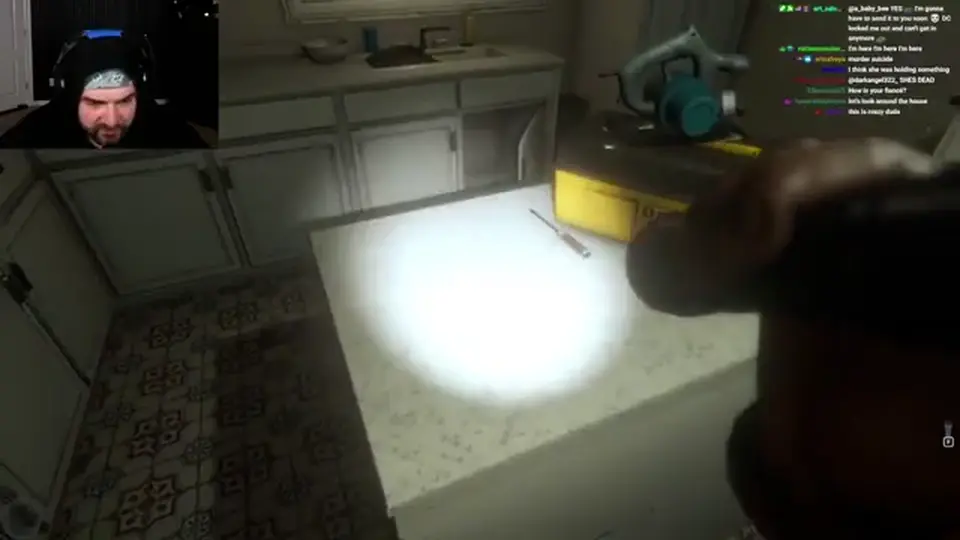
A community recap timestamps the pickup as a short inspect: the player asks what they picked up, then “Oh, crowbar,” then comments on electrical problems in the same space. Exact room name is Unverified. Use that as a sweep hint: early house, near a first electrical scare, not a late-game ritual table.
Couple dialogue earlier jokes about smashing locked doors with a crowbar. Do not treat that as the pickup. The bar becomes useful when a prompt says you need something to pry a surface open. If you already have the bar and you are here for the camera, you can skip hunting a second crowbar. There is no recap of a duplicate tool.
| Check | If true | If false |
|---|---|---|
| Inventory shows crowbar | Do not resweep for a second bar | Sweep early rooms / electrical scare area (pin Unverified) |
| Prompt: pry this open | Equip crowbar on that cavity | You are not at the lock yet — finish last inspect/tape |
| You want to smash every door | Stop. Character joke, not a puzzle | Pry only the armed cavity |
After the pry, a walkthrough recap logs a painted wood board in a wall cavity. That is a clue object, still not a camera. If your inventory is bar + board + tape and nothing plays, you have finished the crowbar beat. Next item is the cassette if missing, then the camera body. Do not open a new floor.
Community recap HUD: “Mini DV tape. The label says August 8th.” Seconds earlier the player says they have no tapes, then finds one — recap audio places it in a hand. A silent walkthrough recap of the same beat includes detective dictation over a female victim and later “videotape found on the victim.” Treat the cassette as on-scene with the body, not on the archive desk. Exact furniture / which hand stays Unverified until the still is grabbed.
Before that pickup, a recap already wants to “play the tape” while watching victim footage. That desire does not spawn a cassette. After pickup, the tape still does not autoplay. You need the camera’s insert action. If you quit between cassette and camera, there is no save — you restart the sitting.
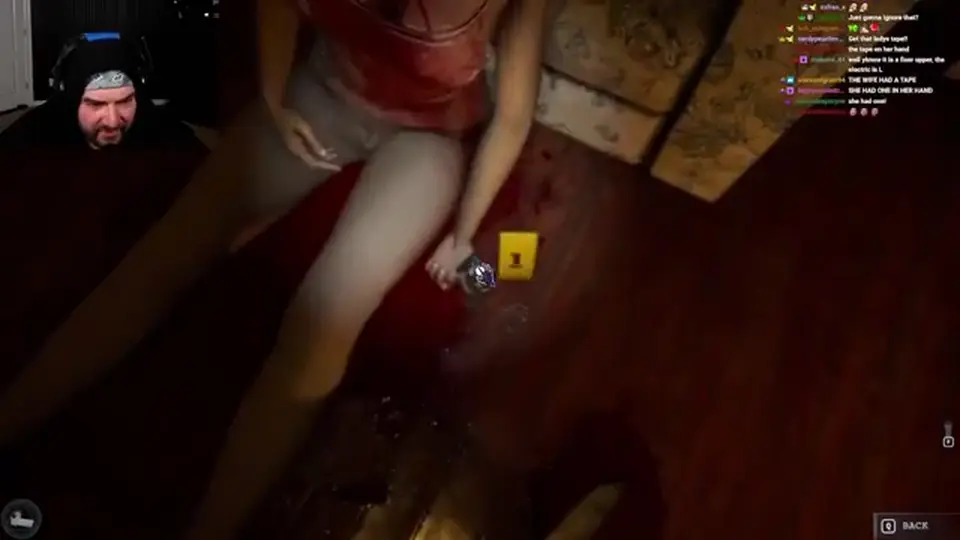
The clip is evidence, not a trophy. Detective recap: Rochester scene, two victims with different time-of-death, occult layout on the dining table, and the line that a camera must exist to play the tapes. Watch it after insert. Skipping it is how players miss the bedroom-compartment hint and then think the camera page failed them.
A later recap bundle names another tape, a hand-bound booklet, a pediment slate, and a tape labeled bind. Those are not the Steam-thread cassette. If you already inserted August 8th and you are hunting “the” camera again, you already have it — use insert on the new tape. If insert does not exist as a verb, you never picked the camera up.
Community recap of the first successful playback: the player has another tape in a bundle, says they need to play it right now, then the UI path is Camera → Use → Insert tape (choosing “this one”). Immediate line after the load: they are “in the tape.” That is the confirmation the camera was the missing hardware. Timestamped still for that UI is the capture slot on this section — not a fake CDN frame.
If your inventory has tapes and you have no Camera verb, you are still in the Steam stall. If you have Camera and Insert is missing, you may be holding the wrong item or not in Use. Do not invent a battery puzzle or a lens cap. No recap names those. After insert, stay in the clip. A recap of the first camera tape includes standing in one spot pointing the camera for an in-world two hours — that is story time inside the footage, not a real-time wait you must perform in the house.

You will raise the camera at marks later. That is not this stall. First sitting goal on this page is one successful insert. Then resume chapter order on the walkthrough. If a mark prompt appears and you do not understand it, symbols — do not drop the camera to hunt a second camcorder.
The camera hides in renovation clutter because the house is a move-in, not a museum. Recaps mention pantry, toilet, hobby space, kitchen objects that appeared after an earlier pass, boxes, and electrical trouble. Walk the same loop you used at the start of the sitting: every room edge, every body, every table, every cavity you already pried. Interact again. The Steam thread exists because people assume a “new” area must open. This build is short. The object is usually behind you.
| Already did | Still missing camera? | Next pass |
|---|---|---|
| Opening sweep only | Yes, common | Second pass on clutter, not a new wing |
| Crowbar pickup | Yes | Do not hunt another bar; hunt camera body |
| August 8th Mini DV | Yes — this is the Steam thread | Same rooms, look for a camera interact, not a lock |
| Pry / wall cavity | Yes | Board is not a camera. Keep sweeping |
| Camera → Insert worked | No | Leave this page. Watch the tape. Walkthrough next |
A recap toggles a flashlight early and notes it does not do much. That is lighting, not playback. PA-005 added controller binds for flashlight and inventory — useful if you cannot open the bag to confirm crowbar/tape, useless as a substitute for insert-tape. Open inventory, confirm the two items, then resweep.
Autocomplete for this keyword is noisy. Playable Archive camera on this wiki means the Mini DV body inside Steam App 5356470. It is not Blue Archive character cameras, not Internet Archive software, not a Sims 4 camera, not a phone camera app, not a PS4 exclusive (this listing is Windows Steam / itch.io zip). If a guide shows a different UI, you are in the wrong product.
It is also not the couple’s camcorder as a story prop you only watch in the trailer. Trailer remodel shots are mood. The interactable tool is the one that exposes Use / Insert tape. Until that verb exists, keep sweeping. When it exists, stop sweeping.
Steam treats the camera as a progression gate, not optional flavor. You can miss the pickup by walking past clutter. You cannot finish the archive loop without insert-tape. Confirm in your sitting. If a friend “skipped” it, they either found it later or they are describing a different game.
After a successful insert, resume the walkthrough. Do not reread crowbar checks.
If insert worked but a cavity still will not open, that is puzzles — pry prompt and tape-named rooms.
First sitting rules if you have not started: beginner guide. Leftover location questions: Discord (DarkStone Digital invite on SteamDB social).
Exact furniture pin is Unverified. Steam thread: after crowbar and tape, resweep renovation clutter until Camera → Use → Insert tape exists. Do not invent a closet name.
The cassette is not a player. You need the camera body, then Insert tape. That is the Steam stall this page covers.
You can walk past it. Steam treats it as a gate, not flavor. Confirm in your sitting.
No. Crowbar pries cavities. Camera inserts Mini DV.
HUD label on the first named Mini DV in community recap. Watch it after insert. Furniture of the pickup is Unverified.
No. This page is Steam Playable Archive App 5356470 only.
No save. One sitting. If you leave after the cassette and before insert, you restart.
October 29, 2026
Matched by build plan, shared topics, and guide progression — not random related links.